

All your conversations, in one place
Talk to family and friends in end-to-end encrypted chats, order and book from businesses and services inside the conversation, and organise your day with your family and team, on your phone, computer and browser.
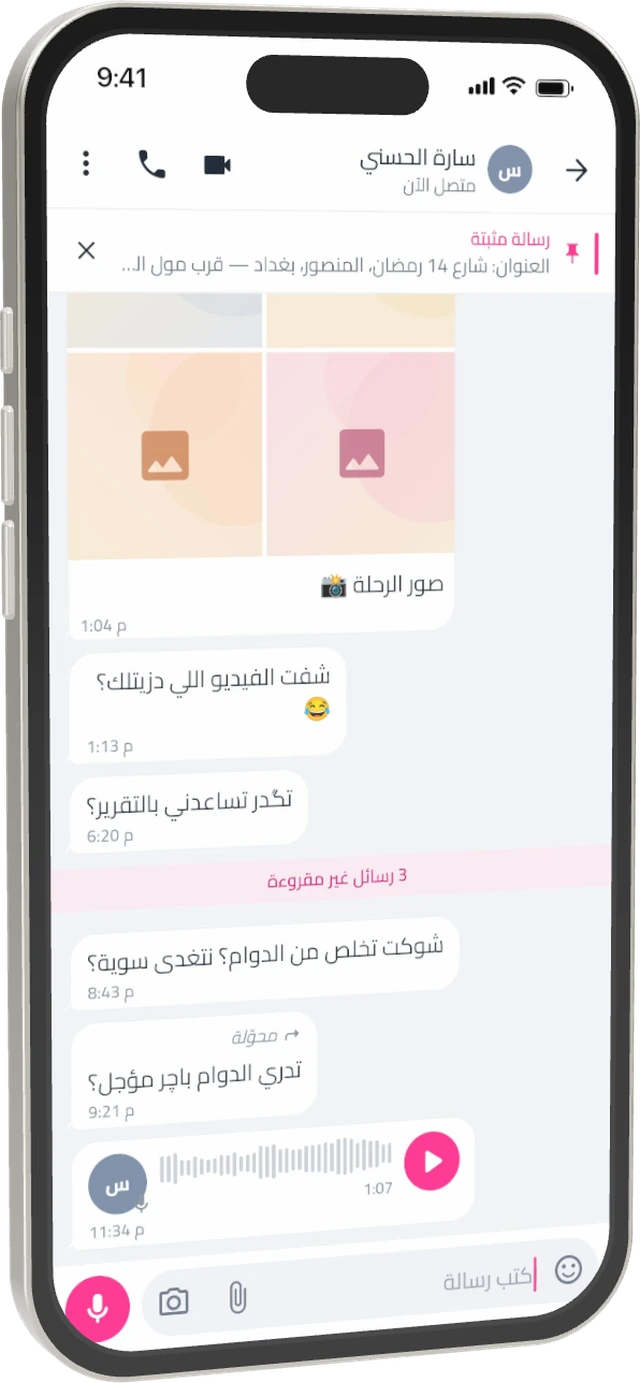
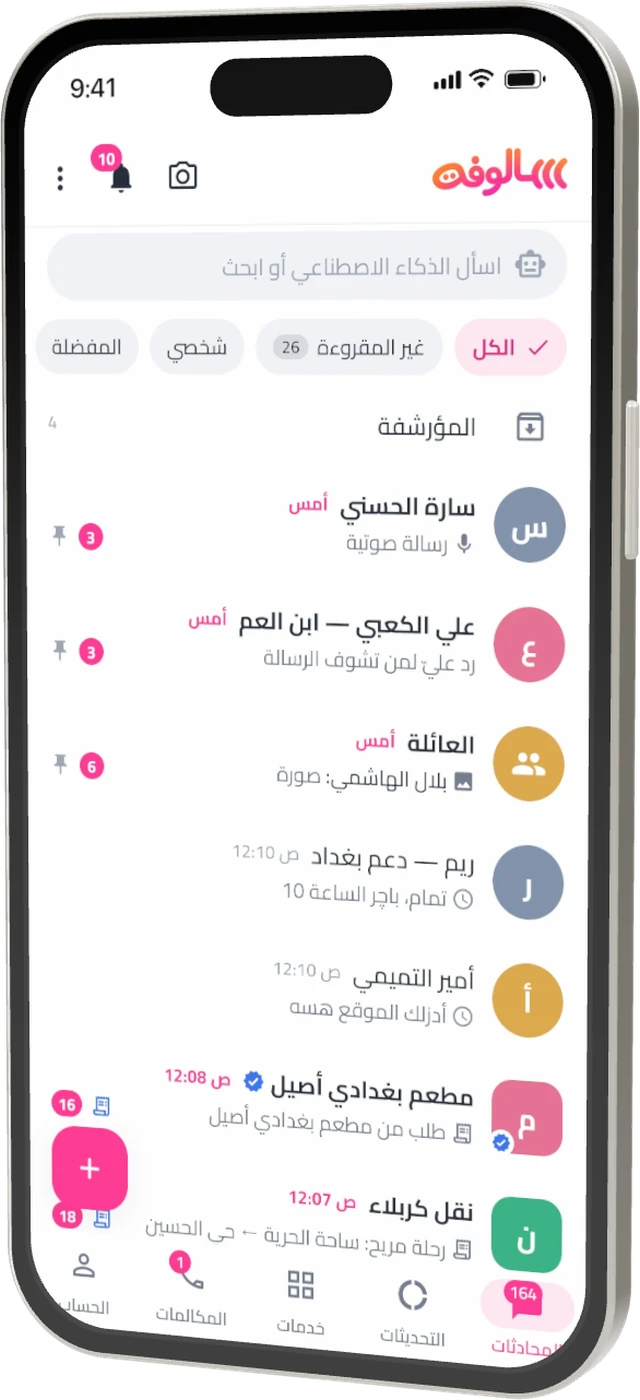
What makes SALOPHA different?
Not just another chat app. SALOPHA brings people, businesses, services and group tools together, without giving up your privacy.
Your whole day in a chat
Talk to family, order from a restaurant, book a ride and follow your invoice, without hopping between dozens of apps.
Real privacy
MLS end-to-end encryption for private chats and groups, notifications without content, and no analytics or trackers.
Arabic at the core
Designed right to left from day one, in language that feels like yours, with full English support.
Tools for every group
Household tasks, family spending and a memories album, plus tools for work, study, trips and trading, inside the group.
Conversations that stay between you
Private chats, groups, broadcast lists and community announcements are end-to-end encrypted with modern MLS, so nobody outside the conversation can read them, not even us.
- Voice notes and files up to 2 GB: Photos, video and documents, each attachment encrypted with its own key.
- Groups of up to 1,024: With communities that bring groups under shared announcements, and broadcast lists to message many at once.
- Disappearing and view-once: Messages vanish after an hour or up to 90 days, your choice.
- Full control: Edit within 15 minutes, delete for everyone within 48 hours, and pin what matters.
- Stay organised: Filter by unread, personal and favourites, with custom lists, locked chats and starred messages.
- Polls and events: Plan outings and meetings inside the group.
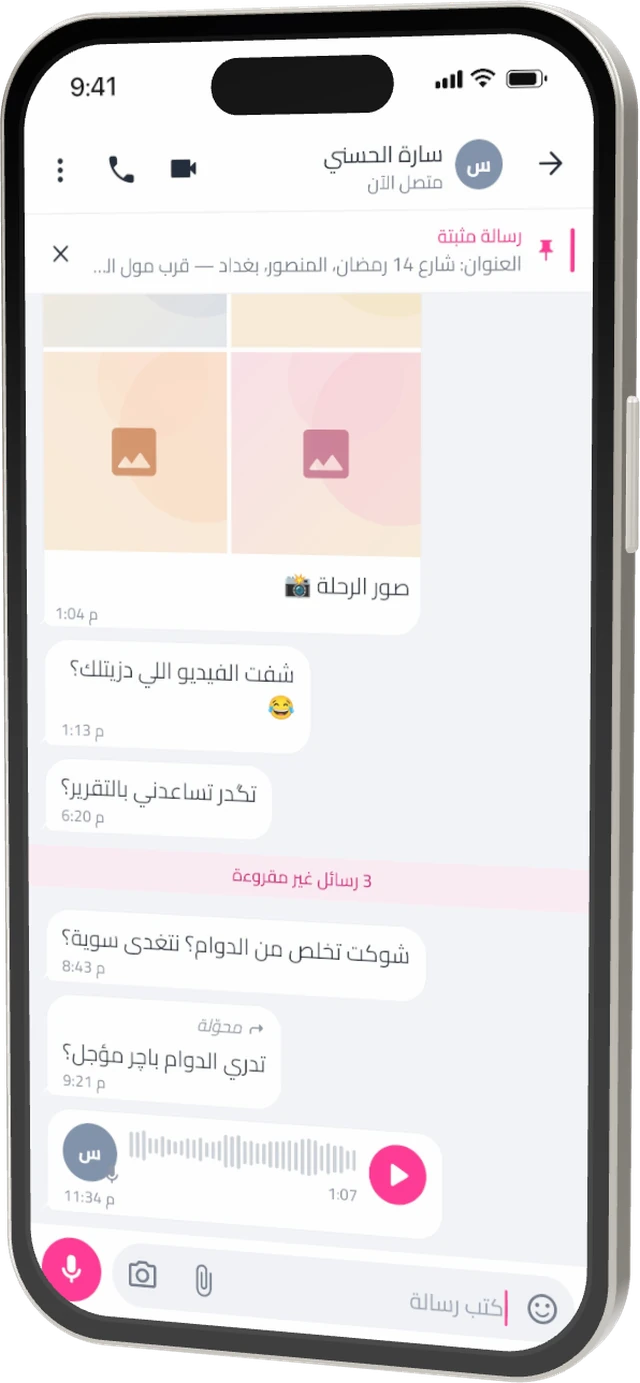
From “do you have it?” to the invoice, in one chat
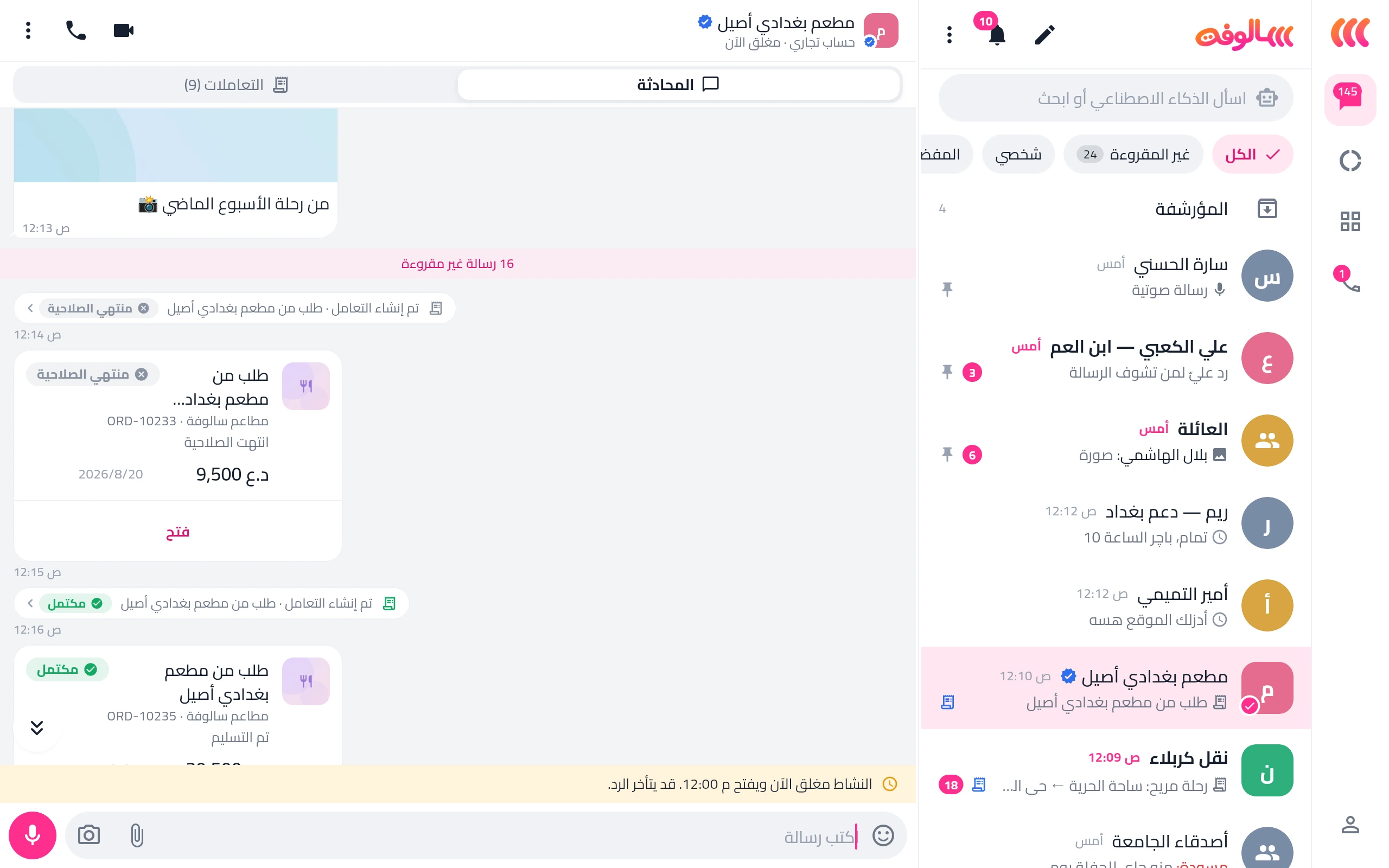
Message a business the way you message a friend. It sends the order or booking as a card you confirm with a tap, and you follow its status and invoice in the chat.
Ask
Message the restaurant, shop or transport company directly, and spot verified accounts by their badge.
Confirm
The order or booking arrives with its items and price; confirm or cancel it from the card.
Follow
Status, invoice and updates stay in the chat, and all your transactions are in one tab.
Run customer relationships from one inbox
Business accounts bring customer service, orders, bookings and invoices together, with your team working by role and branch.
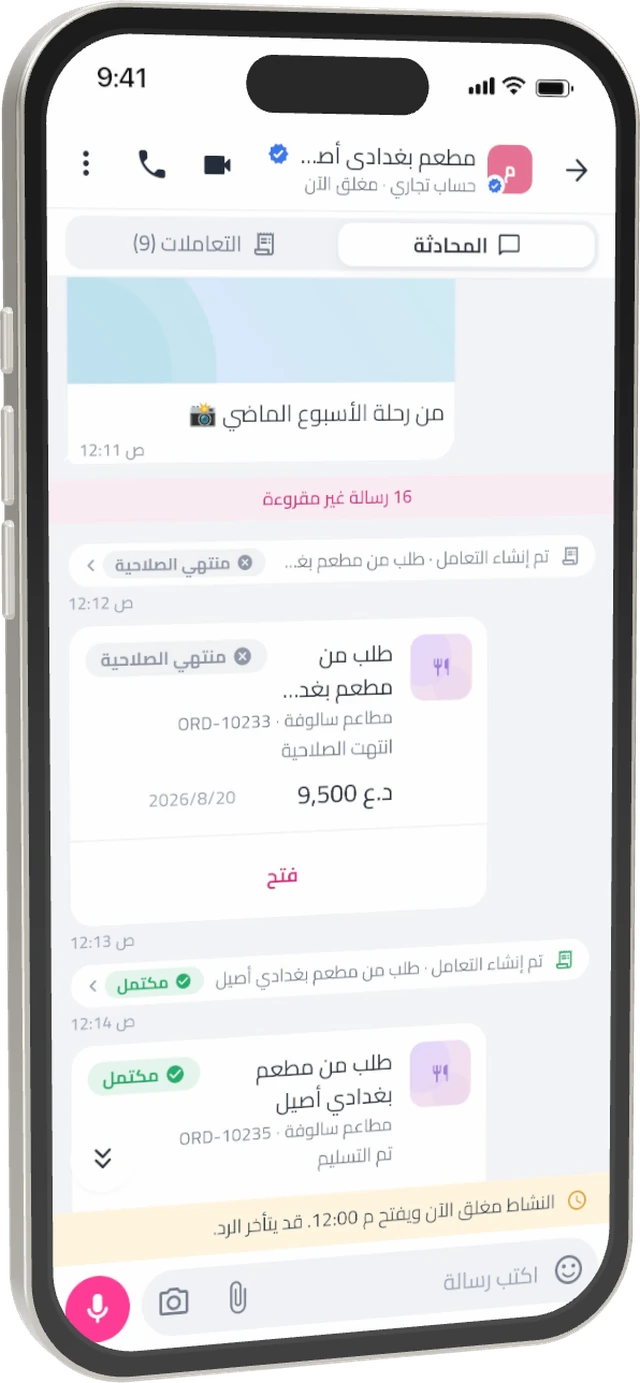
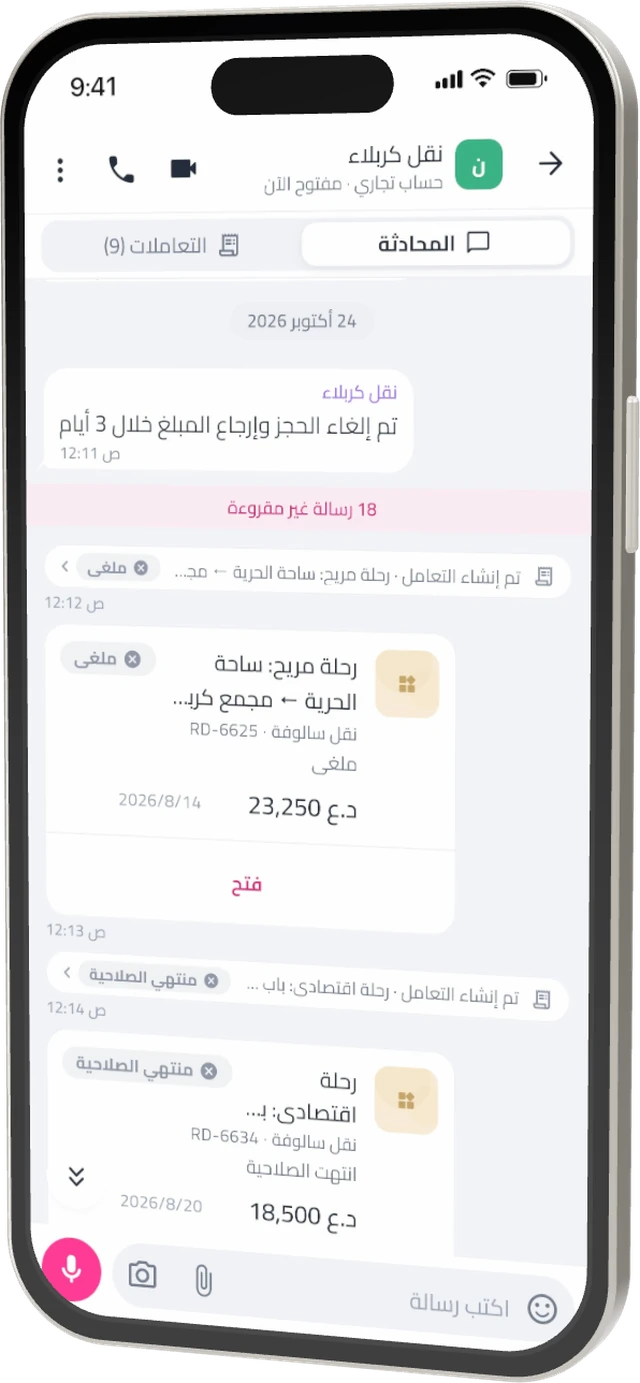
A shared team inbox
Customer chats for your team by role and branch, with internal notes, labels and assignment, without exposing your personal number.
Catalog, orders, invoices, bookings
Show your products, take orders and bookings, and send invoices from ready templates in the chat.
Customer records
A rating and notes for each customer, and their history with you in one place.
Quick replies and automation
Saved replies shown in your customer’s language, and automation for repeated messages.
AI assistant for business
A paid add-on that answers customers for you, following settings you control.
Verification badge
Customers recognise you by the badge once your business is verified.
Business chats are encrypted in transit and at rest, not end to end, because the business team needs to read them to reply.
Your group is more than a chat
Add the tools a group needs, and it becomes a shared space for your family, team or trip.
- Family: One-tap household tasks, spending with daily, weekly and monthly totals, and a shared memories album.
- Work: Tasks and meetings for your team inside the group.
- Study: Short quizzes and revision with classmates.
- Trips and sports: Plans, shared lists and split expenses.
- Marketplace: List items, receive offers and counter-offers, and close the deal when both sides confirm.
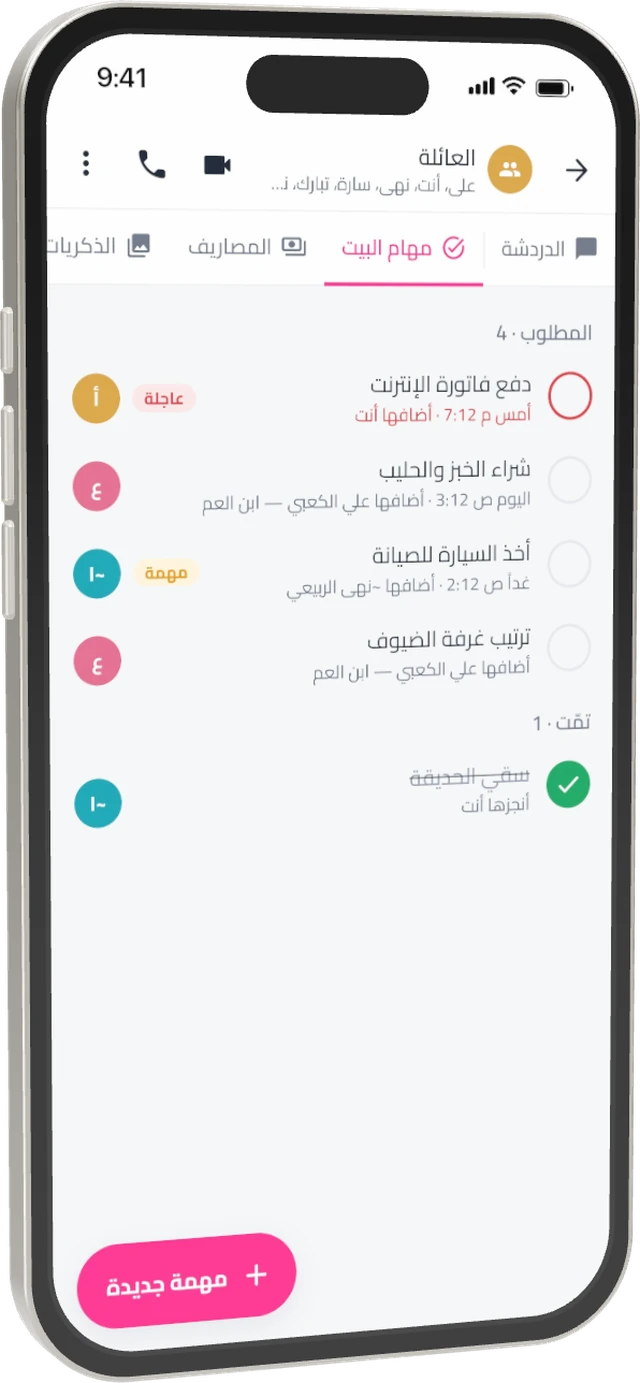
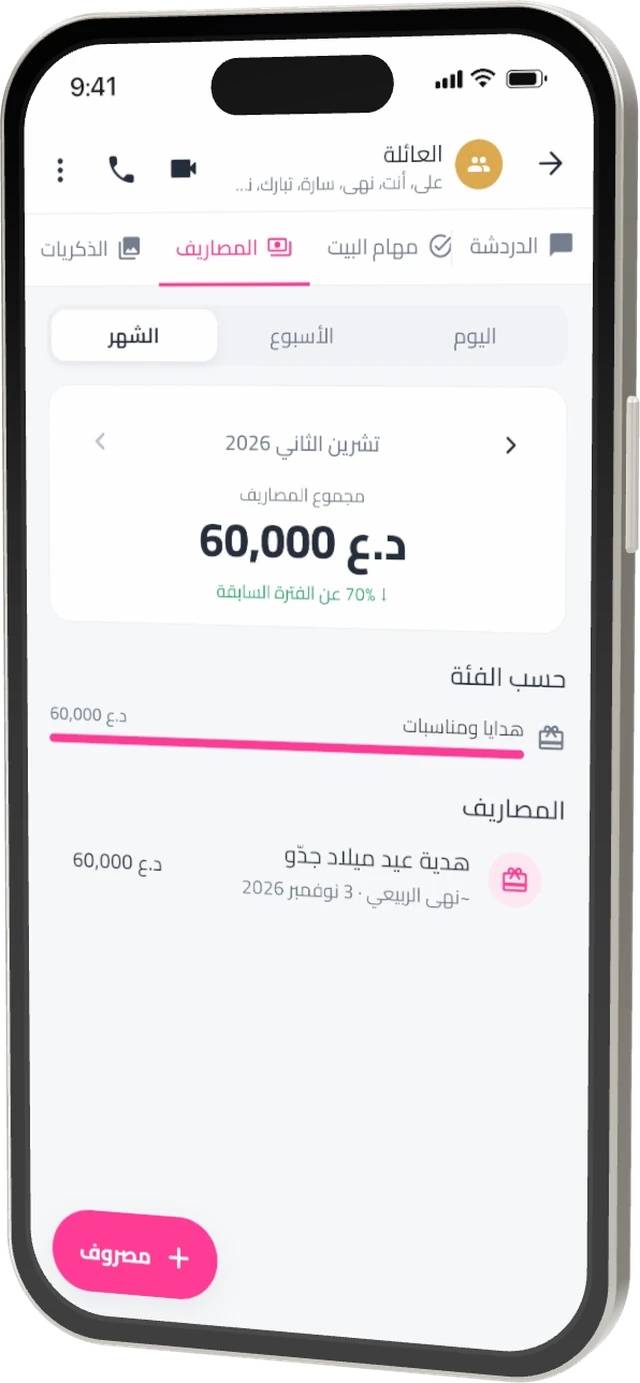
Status and channels in one place
See what friends share through their day, and the channels you care about, from news to offers.
- 24-hour status: Text, photo or video, with control over who sees it, plus an archive and muting.
- Public channels: Create your own or follow business and creator channels, and vote in polls without showing your name.
- Businesses you follow: Offers and updates from the places you care about.
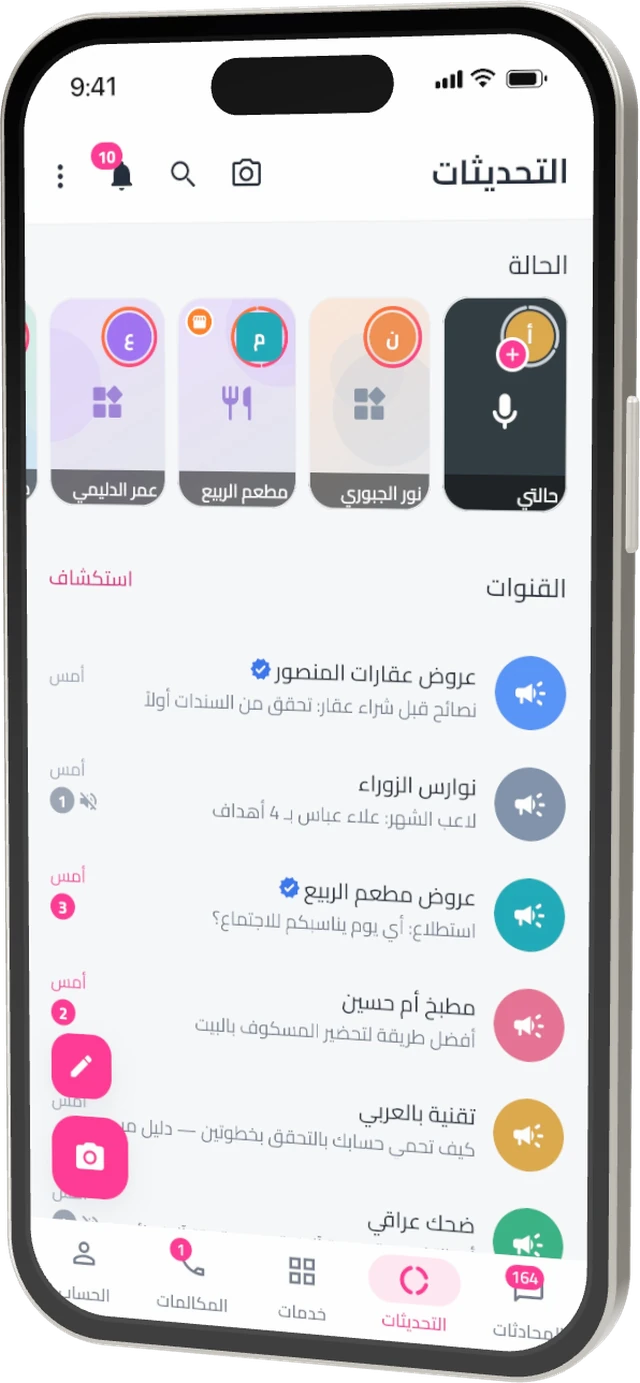
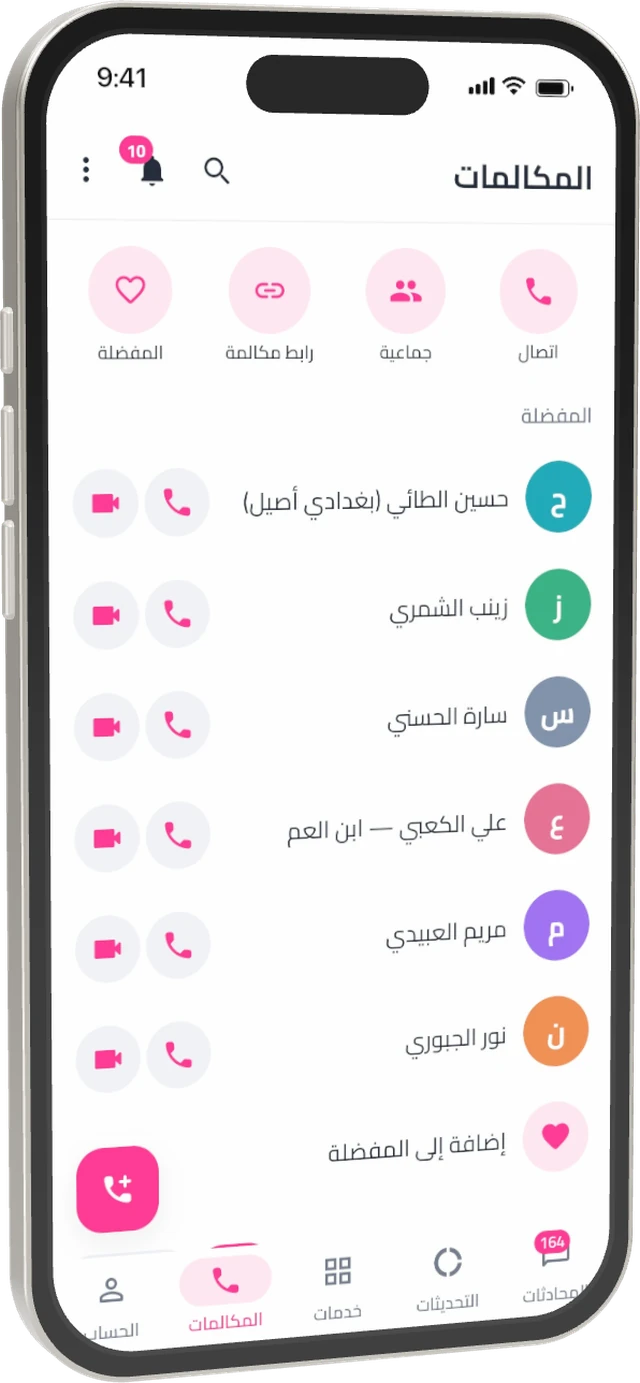
Clear calls, one-to-one or in groups
Call by voice or video, or create a link everyone can join, from your phone, computer or browser.
- Group calls: Up to 32 people, plus voice chats inside groups.
- Call links: Share one link instead of inviting everyone.
- Call waiting: A second call shows up so you can end one and take the other.
- Silence unknown callers: Your phone stays quiet for people outside your contacts, if you want.
An assistant that gets you, and respects your privacy
Translate a message, turn a voice note into text, or get a suggested reply. The assistant runs on our own servers with no third party, and only sees what you ask it to.
“See you tomorrow at five in Mansour, don’t be late”
وين صرت؟ ننتظرك
Where are you? We are waiting for you.
Services that run inside SALOPHA
Mini apps, such as food ordering and travel, open from the Services tab or from a chat with one sign-in, and share your orders and bookings as cards in any conversation.
One sign-in
No new accounts or passwords. Open the service and start.
Permissions you control
A service gets only what it needs, and you review or revoke it in Settings.
A separate identity per service
Each service gets its own identifier for you that does not reveal your SALOPHA account or link you across services.
Your messages are not theirs
No service ever receives your personal conversations.
Privacy is part of the design, not an add-on
We built SALOPHA to collect as little data as possible and put you in control of the rest.
MLS end-to-end encryption
The modern RFC 9420 standard, with a key for each of your devices.
Notifications without content
Message notifications sent through our servers never carry your message text.
Two-step verification
A 6-digit PIN protects your account when you sign in on a new device.
App and chat lock
Open the app or a single chat with your fingerprint, face or device passcode.
Safety from strangers
Group adds from people outside your contacts wait for you, with daily limits on messages from strangers.
No analytics or trackers
The app contains no analytics or ad trackers, and we do not sell your data.
From your phone to your computer and browser
Link a computer by scanning a code with your phone and work on a bigger screen with multiple columns and keyboard shortcuts. Encrypted messages stay encrypted on every device.
Frequently asked questions
Is SALOPHA free?
Yes. Chats, calls, status, channels and group spaces are free. Some business tools, such as the AI assistant for business, are paid add-ons for businesses.
Which chats are end-to-end encrypted?
Private chats, groups, community announcements, broadcast lists and notes to yourself. Business chats, channels, status and calls are encrypted in transit and at rest, but not end to end at the moment.
How do I use SALOPHA on a computer?
Open web.salopha.com or the desktop app, then on your phone go to Settings, Linked devices, “Link a device” and scan the code. You can link up to five computers.
Will my old messages appear on the computer?
No. A new device starts from the moment it is linked, because your encrypted messages are not stored in a way that lets us copy them to it.
Do services get my messages?
No. A service gets specific details such as your name and photo, and your number only if you agree or it is visible to everyone, under an identifier of its own. You can revoke its permissions in Settings.
Can I use SALOPHA for my business?
Yes. Create a business account in Settings, add your team and branches, take orders and bookings and send invoices from a shared inbox.
When is SALOPHA coming to iPhone?
We are working on the App Store release. Until then you can use SALOPHA Web in your iPhone’s browser.
How do I delete my account?
Go to Settings, Account, “Delete account”. Your profile is cleared, your number released and your sessions ended right away. Details in the Privacy Policy.
Ready to start talking?
Download the app for free, or open it in your browser now.